Memolio
A memory portfolio for each child.
Save quotes, conversations, photos, and milestones as they happen. Find them by child, then let widgets and On This Day bring favorite moments back.
View on the App Store
Follow Memolio on Instagram
Save. Find. Rediscover.
Give each child a space
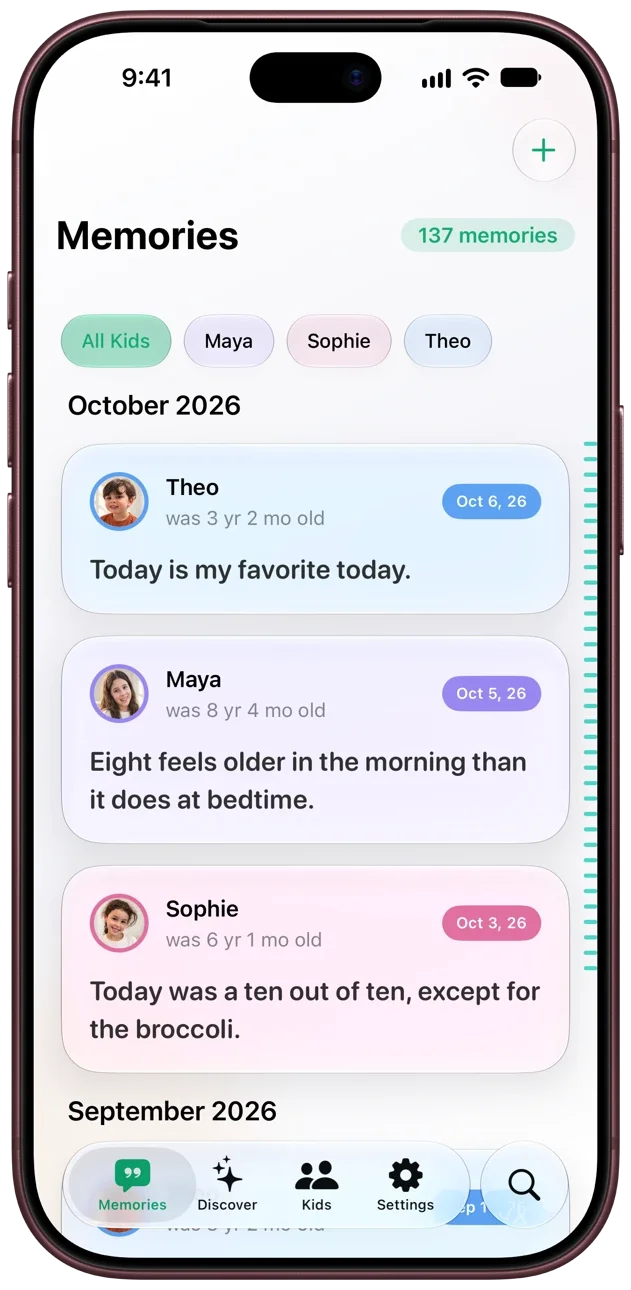
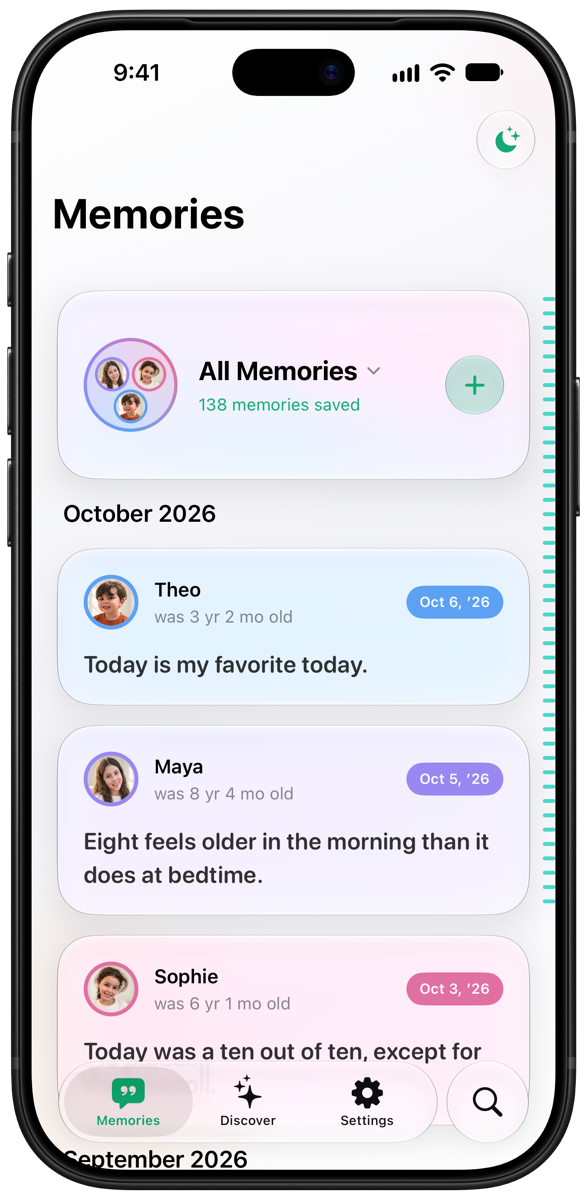
Set up a profile with a color and optional photo. Keep their quotes, conversations, photos and milestones together.
Save today. Revisit later.
Save a moment now or add one from years ago. Add a birthdate to your child’s profile to see how old they were when the memory happened.
Find one specific moment
Search for a phrase, browse by child, or slide the timeline scrubber to jump back through the years.
Rediscover something you forgot
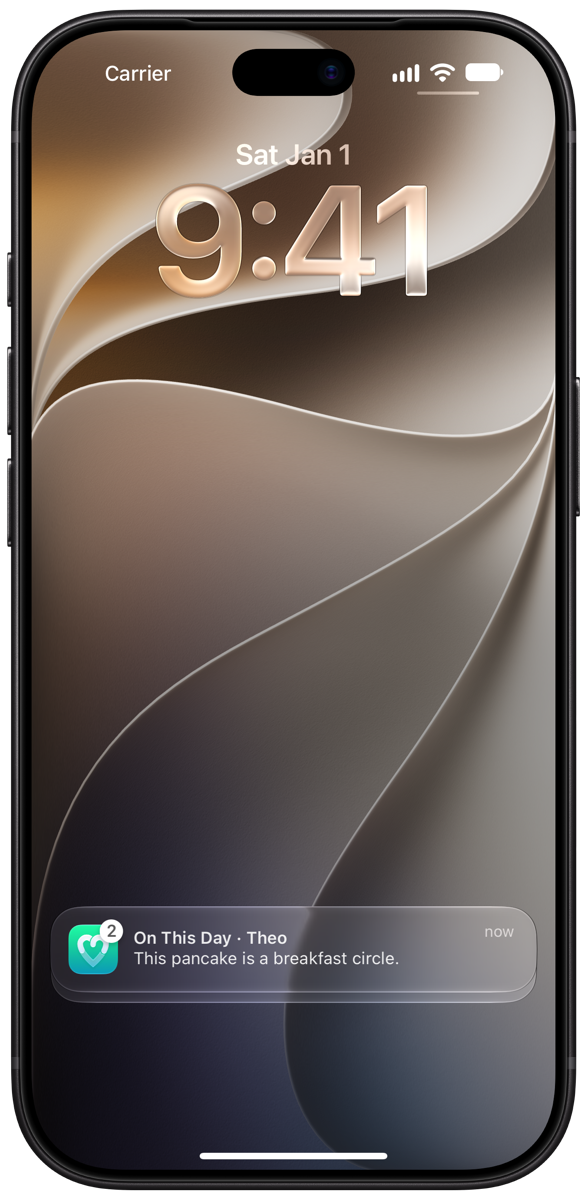
Get an On This Day notification about a memory from a past year, or let a random memory surprise you.
Save before it slips away
Add quick capture to Control Center or your Lock Screen. Use Siri or Shortcuts, or save a moment from Apple Watch.
Bring memories into your day
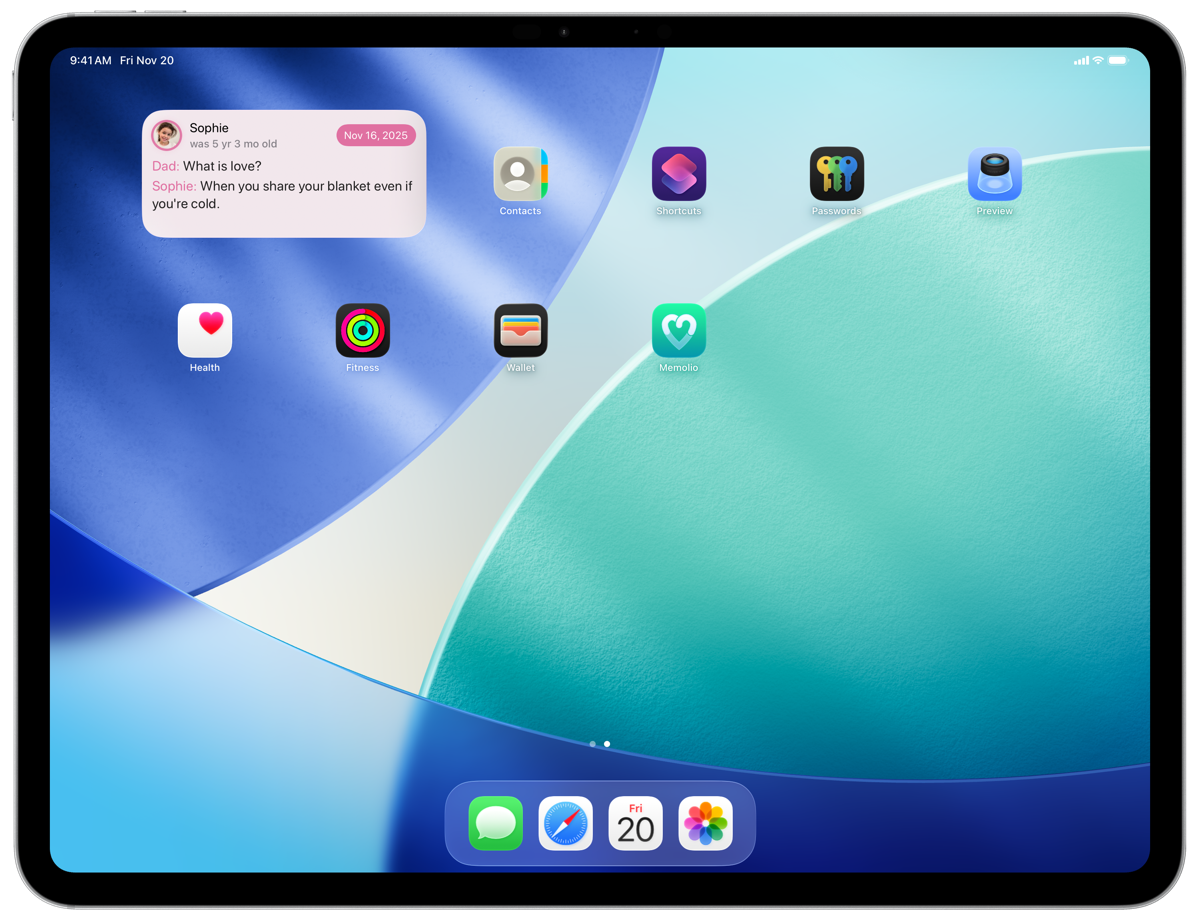
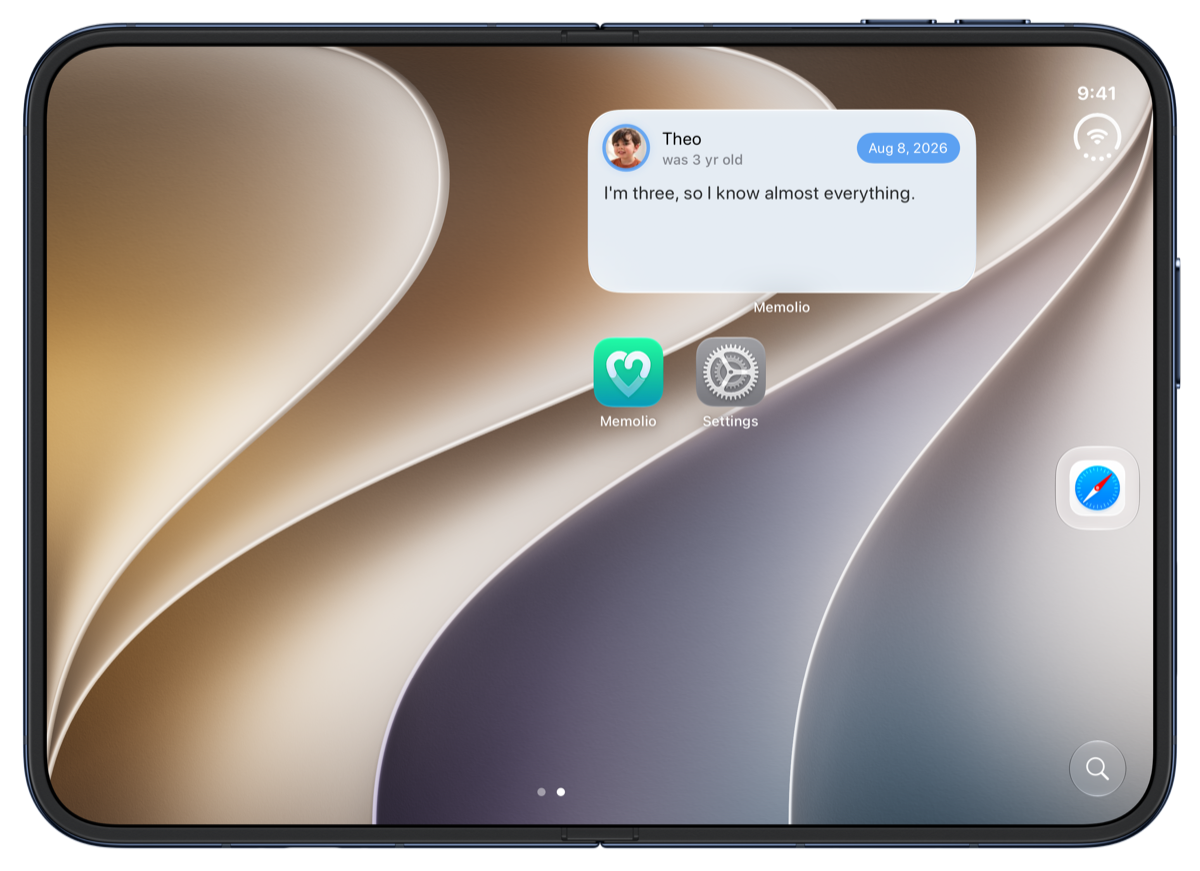
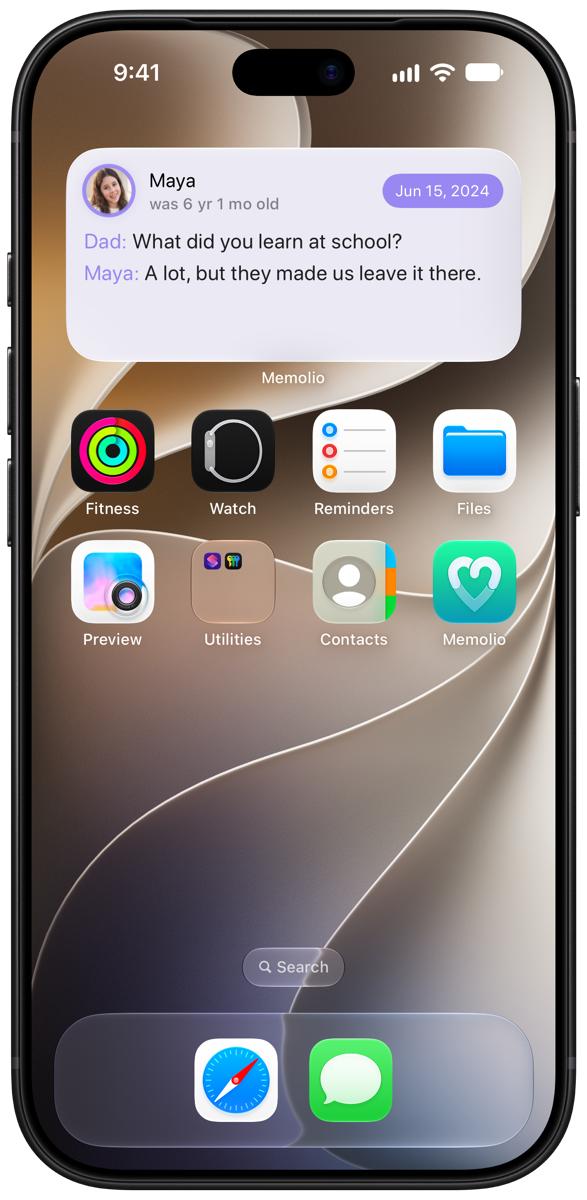
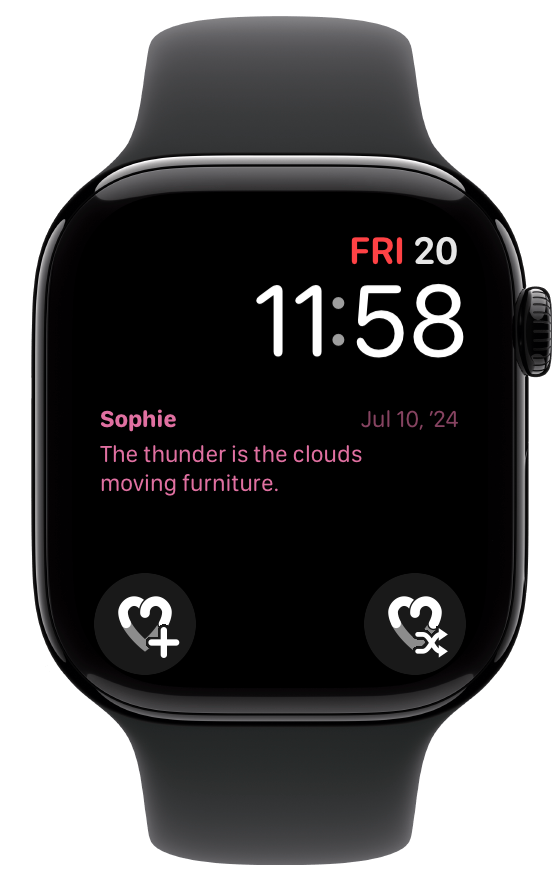
Put widgets on your Home Screen or Lock Screen. On Apple Watch, use complications and Smart Stack widgets to keep Memolio close.
Pick up where you left off
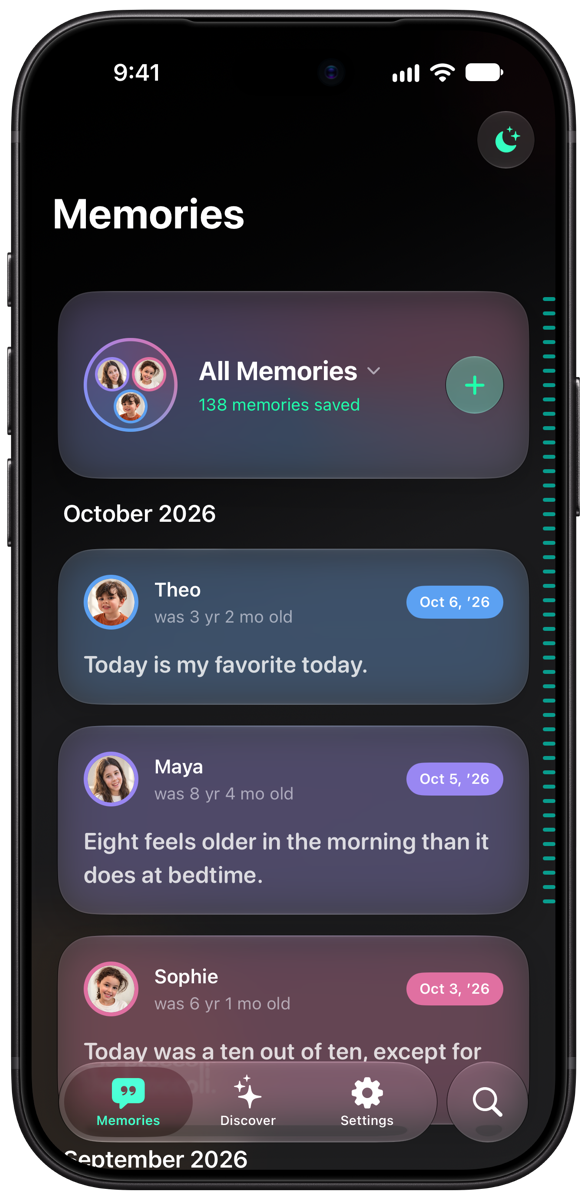
Sync through your personal iCloud account across iPhone, iPad, Mac and Apple Watch. Open memories from Spotlight and use light or dark mode.
Share a favorite
Turn a memory into a designed card to send to family and friends. You choose what to share.
Keep it private
Memolio does not collect your memories or use in-app advertising or tracking. Your memories stay on your devices and in your personal iCloud account.
Make it yours.
How do I start?
Add a child, pick a color, and optionally add a profile photo. Save your first moment to that child’s collection.
How can I capture a moment?
Tap + in Memolio to save a quote, conversation, photo or milestone. You can also start from a widget, a Control Center or Lock Screen control, Siri, Shortcuts or Apple Watch.
How do On This Day reminders work?
Turn on On This Day notifications to revisit memories dated on the same day in years past. Add a birthdate to a child’s profile to see how old they were when the moment happened.
Is there a subscription?
No. You can start free with two profiles and ten memories per child. A one-time Premium purchase unlocks unlimited profiles and memories.
Does everyone in a family need Premium?
No. Only the person who owns the family library needs Premium, a one-time purchase. Invited members can join for free and contribute if they have edit access. Everyone uses their own iCloud account.
How do I invite someone to my family library?
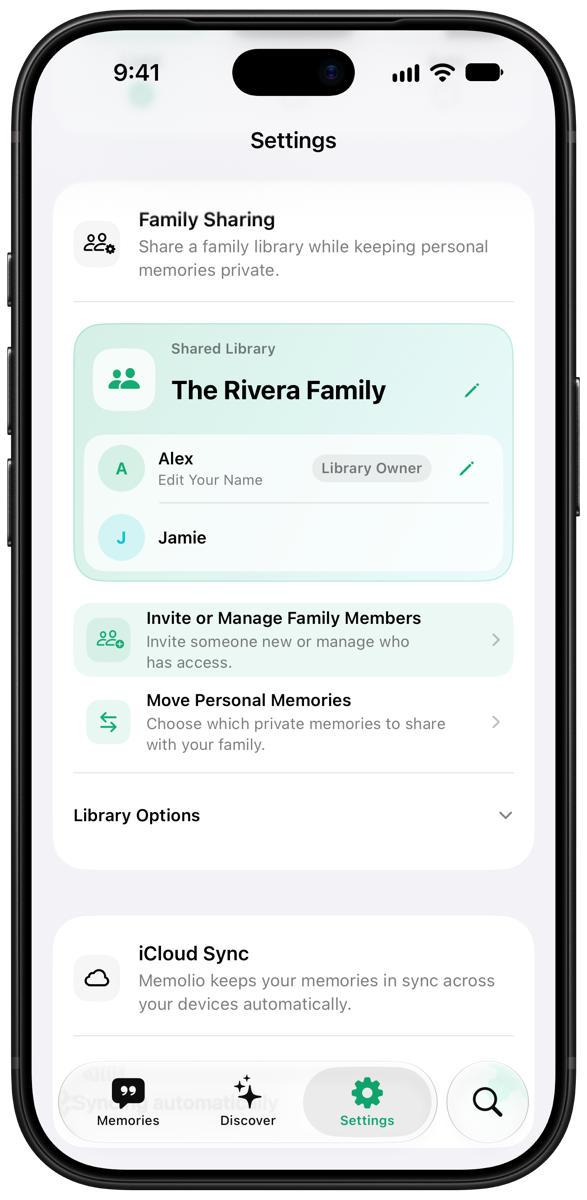
Go to Settings → Family Sharing and create a family library. Then tap Invite or Manage Family Members and send an iCloud invitation. You can invite someone outside your Apple Family Sharing group.
Who can I invite, and how many people can join?
Invite your spouse or partner, grandparents, nannies, caregivers, or anyone you trust to help capture the little moments. Each person needs an active iCloud account. Apple allows up to 100 participants in a shared library, including the owner. If you get anywhere near that, you might need name tags at the next family reunion.
Can family members add their own memories?
Yes. Give someone edit access and they can save the moments they catch, from a grandparent’s afternoon visit to a funny thing your child says on the way home. Their name appears on the memories they save to the family library.
What does Co-Owner mean in the iCloud sharing screen?
On Apple devices that support it, Co-Owner lets someone invite or remove people and change their access. Memolio’s library owner still handles ownership transfers and ending the library. Leave Co-Owner off if you just want someone to add memories.
Can family members see my personal memories?
Your personal library stays private. Family members see the memories in the family library. You can start with an empty family library or choose memories to move into it, and you can choose where to save a new memory.
What happens if I leave a family library?
Before leaving, you can save a personal copy of all the shared memories, keep only the ones you saved, or leave without keeping copies. Your existing personal library stays as it is.
Can I record their voice and search what was said?
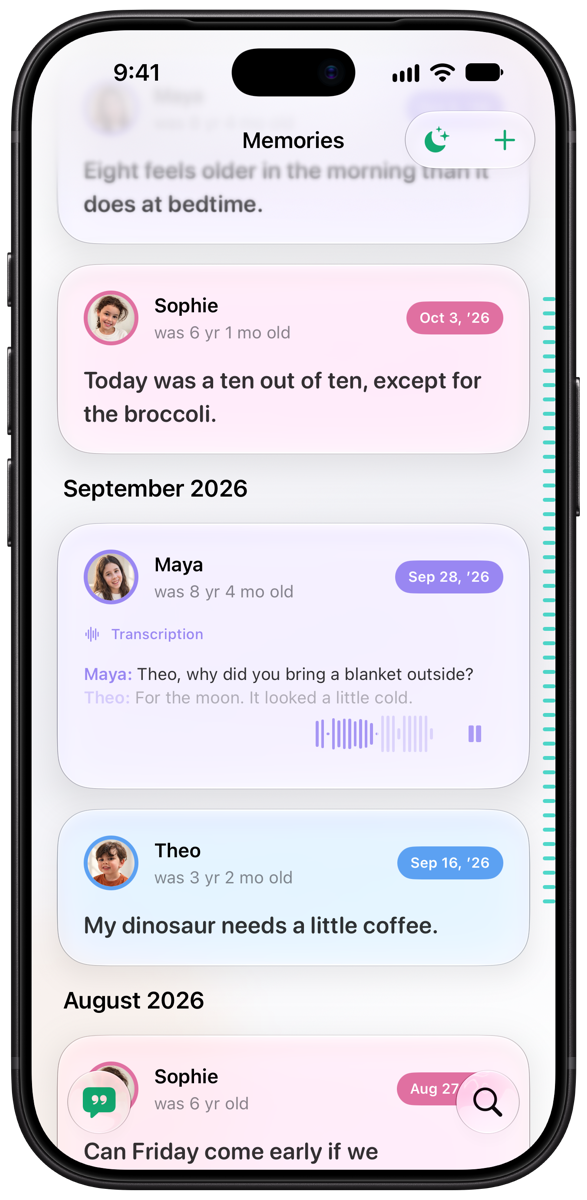
Memolio can attach an audio recording to a memory. When on-device transcription is available for your device and language, you can read and search the transcript, too.
Can I hear a memory in CarPlay?
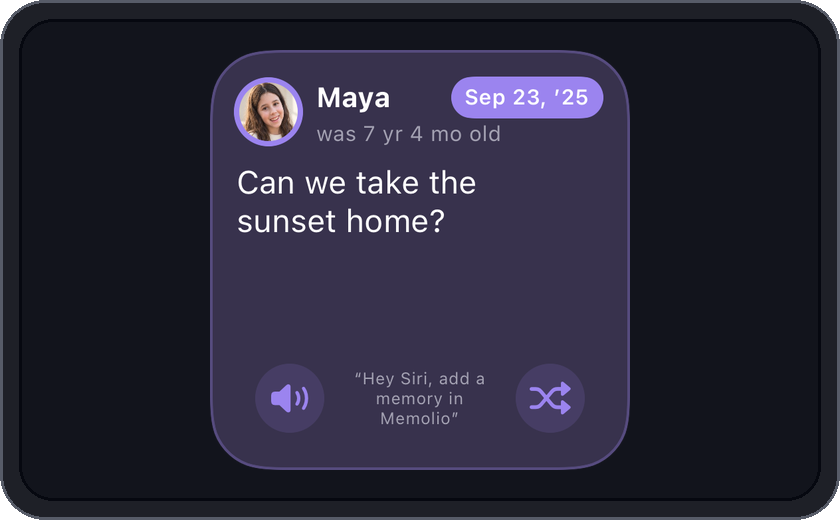
On compatible CarPlay setups, add the Memolio widget to rediscover a memory, shuffle to another one, or hear it read aloud. You can also ask Siri to add a memory in Memolio.
Can I save a copy of my memories?
Open Settings → Export Memories to save a ZIP. It includes an offline album, a printable PDF, and the photos and recordings available on your device.
A closer look at Memolio
Little moments.
Find them again.
Memolio brings parents, grandparents, and loved ones together to keep the moments they each catch.
One shared library for the people you love.
Invite parents, grandparents, and loved ones to save quotes, photos, and recordings in a private library synced with iCloud. Choose what to share and keep your personal memories private. Only the owner needs Premium. Invited members can join for free.
Hear those little words again.
Record a conversation, transcribe it automatically where supported, and give detected speakers names you can edit. Read along as words highlight during playback and find what they said with search.
Light or dark.
Color-coded profiles keep each child’s moments together, in either appearance.
A memory.
Before you even open the app.
See a saved memory on your Home Screen, Lock Screen, Apple Watch, or CarPlay. Use Quick Add from Control Center or your Lock Screen, and keep memories close with Apple Watch complications and Smart Stack.
Catch it.
While it's still fresh.
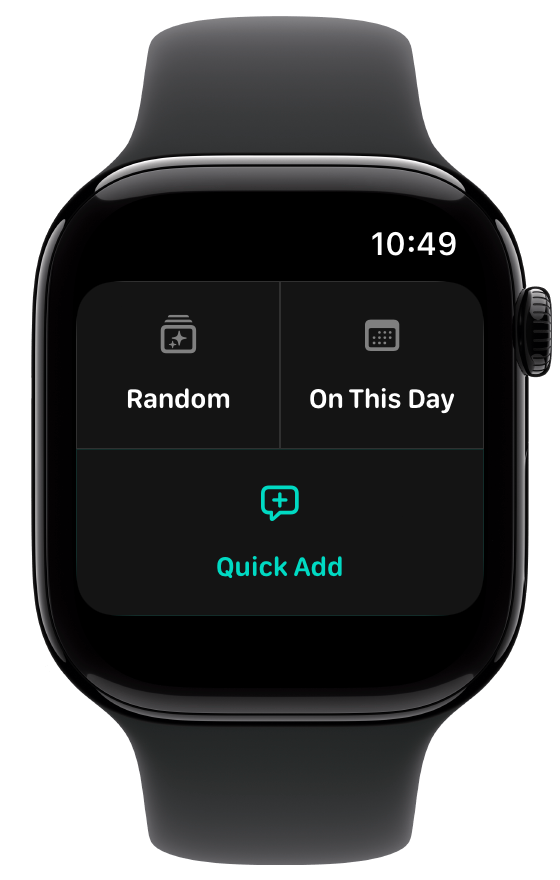
Quick Add on Apple Watch gives the next little moment a place to land. Revisit saved memories with Random and On This Day, too.
Some things
deserve another smile.
On This Day brings a saved moment back. A small reminder of something you might otherwise have forgotten.